Description
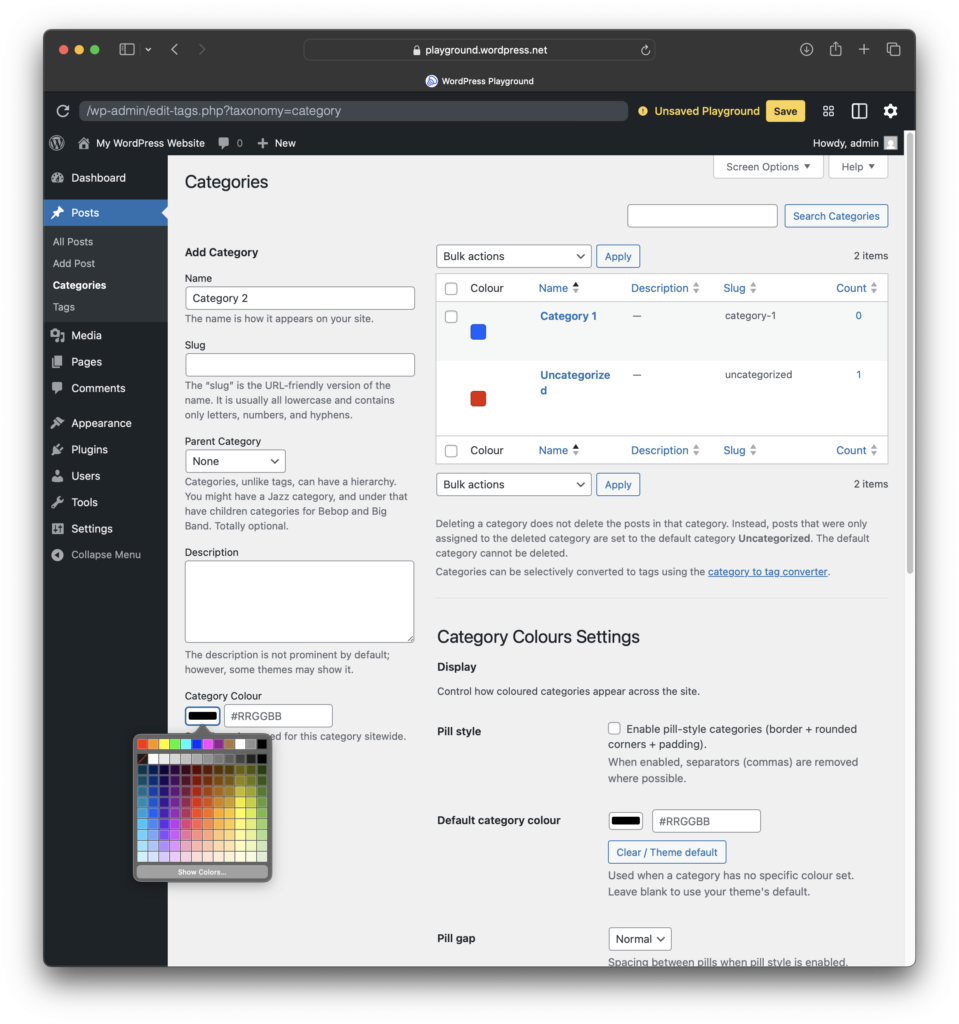
Half Baked Category Colours adds a per-category colour picker and applies those colours sitewide wherever categories are displayed.
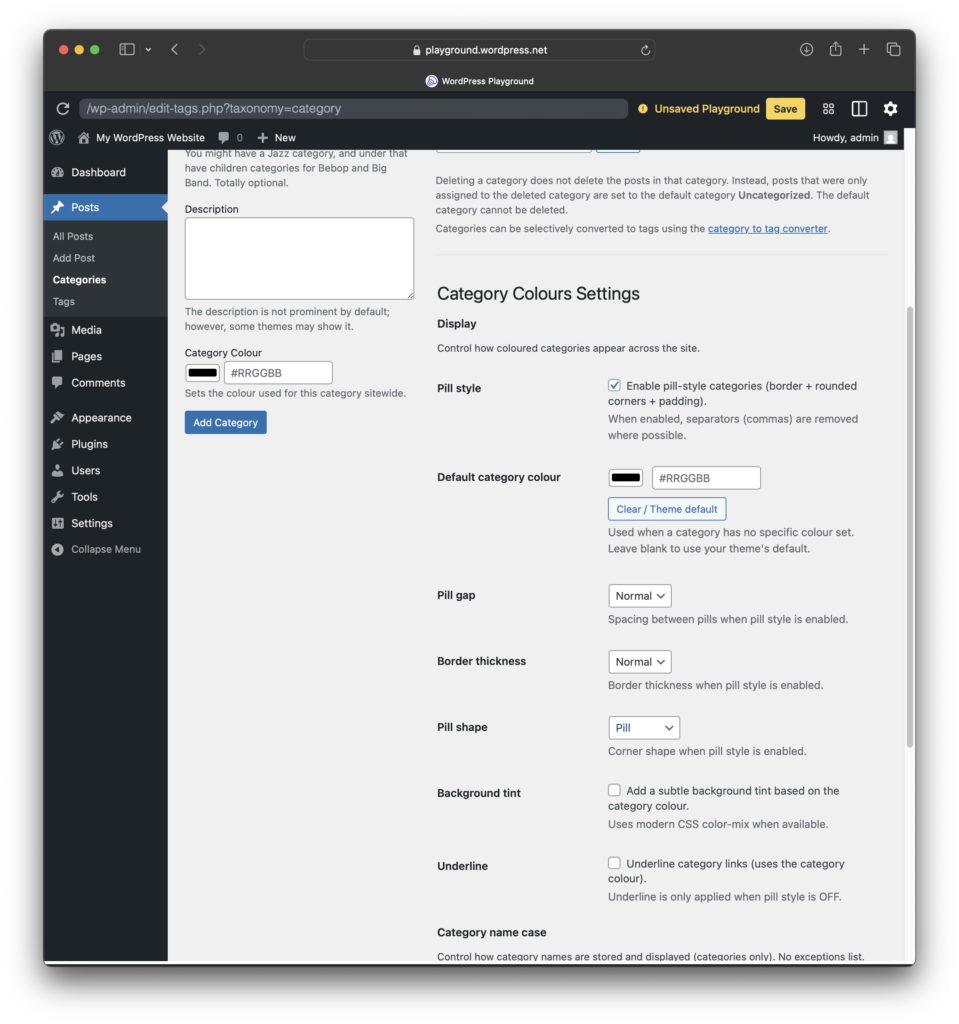
It is designed to be simple in day-to-day use. Set a colour once on the category screen and you are done. If you want a consistent “category pill” look across themes, you can optionally enable pill styling and fine-tune spacing, tint, underline, border thickness, and pill shape.
Highlights
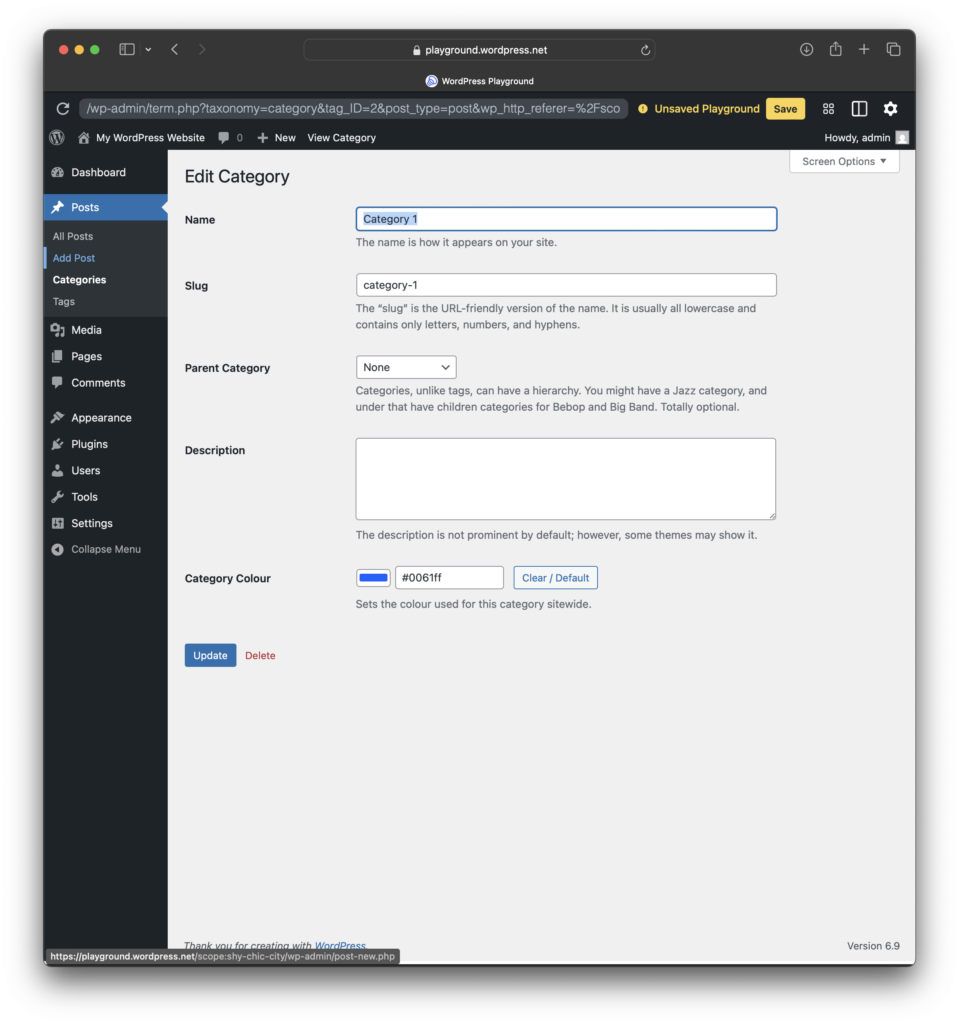
- Set a colour per category on Posts → Categories (add or edit), plus Quick Edit support.
- Optional default category colour (used when a category has no specific colour).
- Optional pill styling (rounded borders + padding), plus controls for pill gap, border thickness, pill shape, background tint, and underline.
- Category list screen improvements, including a colour swatch column and Quick Edit colour picker.
- Optional category name case tools (categories only), including Storage case, auto-apply on create or edit, forced Display case, and Normalize all.
How it works
- Go to Posts → Categories and set a colour for each category you want styled.
- Optionally set a Default category colour to cover anything left unset.
- Optionally enable pill styling for a consistent look across themes.
Inheritance
If a child category has no colour set, it can inherit its parent category colour.
Privacy and data
This plugin does not send any data off-site. Colours and settings are stored locally in your WordPress database.
Uninstall
Uninstalling the plugin removes plugin settings and any stored metadata created by the plugin.
Screenshots