Description
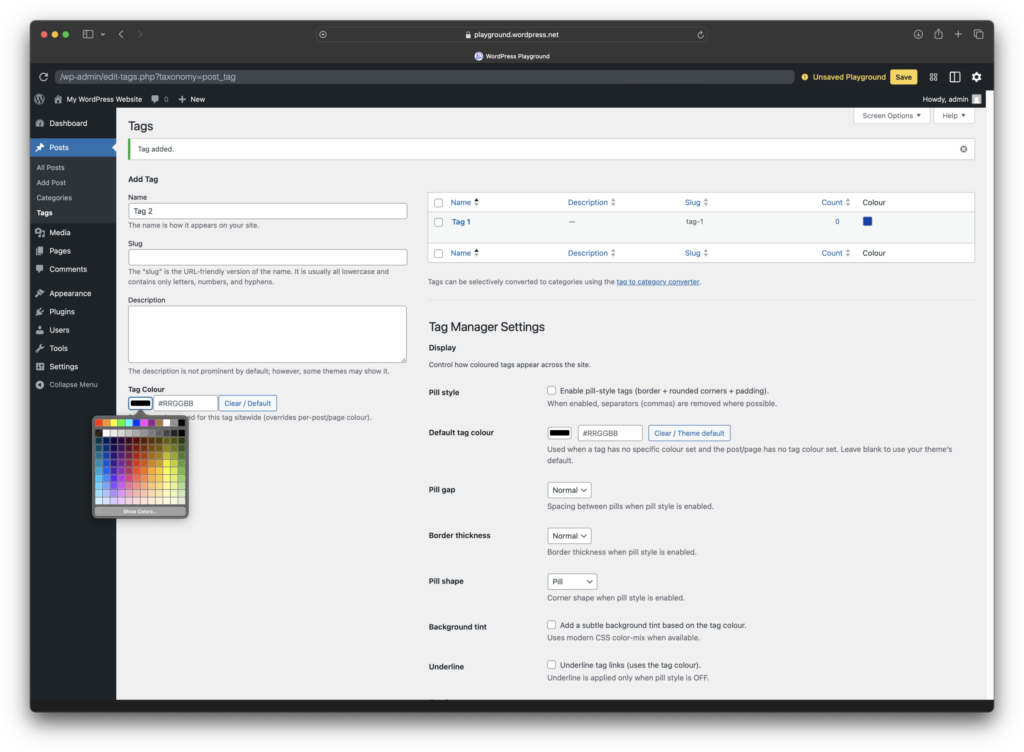
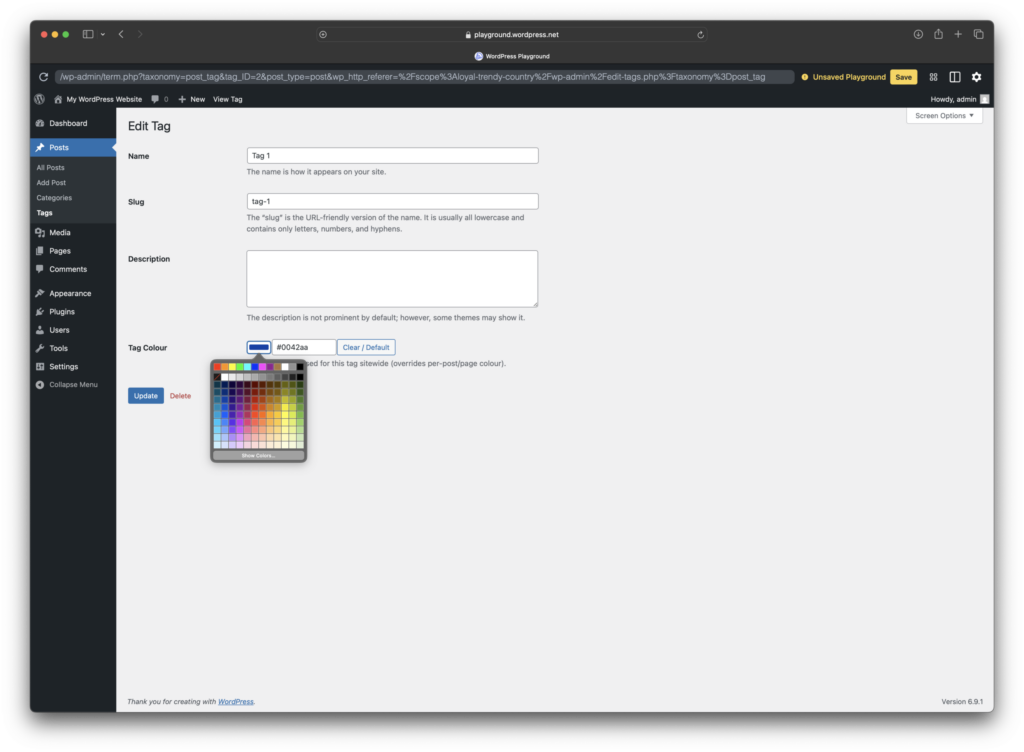
Half Baked Tag Colour Manager lets you set tag colours at multiple levels, Per-tag colour, Per-post/page colour, Default tag colour, and Theme default colour.
Per-tag colours override the post/page colour, which overrides the plugin default.
If you want a consistent “tag pill” look across themes, you can optionally enable pill styling and fine-tune spacing, tint, underline, border thickness, and pill shape.
- You can also manage tag case:
- Choose a Storage case (database normalization)
- Optionally auto-apply Storage case when tags are created or edited
- Optionally force a Display case sitewide on the front end
- Bulk-normalize selected tags from the Tags screen, plus a “Normalize all” option
How it works
- Set colours on Posts → Tags for tags that should always have a specific look.
- Optionally set a per-post tag colour in the editor sidebar to apply one colour to all tags on that post.
- Optionally set a Default tag colour to cover anything left unset.
- Leave styling off if your theme already handles tags the way you like, or enable pill styling for consistency.
Colour resolution order
When a tag is displayed, the plugin resolves the colour in this order:
- Per-tag colour
- Per-post or per-page colour
- Plugin default tag colour
- Theme default
Privacy and data
This plugin does not send any data off-site. Colours and settings are stored locally in your WordPress database.
Uninstall
Uninstalling the plugin removes plugin settings and any stored metadata created by the plugin.
Screenshots